> For the complete documentation index, see [llms.txt](https://docs.salesmonk.ai/llms.txt). Markdown versions of documentation pages are available by appending `.md` to page URLs; this page is available as [Markdown](https://docs.salesmonk.ai/integrations/hubspot-crm/how-to-connect-hubspot.md).
# How to connect HubSpot?
### **Prerequisites**
Before connecting HubSpot:
* You must have Admin access in HubSpot
* You must have permission to install apps
* You must be logged into the correct HubSpot account
### How to Connect HubSpot
#### Step 1: Go to Integrations
1. Log in to SalesMonk.
2. Click **Settings** from the left sidebar.
3. Click **Integrations** under Workspace.
4. Locate **HubSpot**.
5. Click **Connect**.
#### Step 2: Continue Secure Authentication
SalesMonk uses a secure authentication flow.
1. Click **Continue** on the authentication screen.
2. Select **HubSpot** as the integration provider.
#### Step 3: Grant Required Permissions
SalesMonk will request access to:
* Read and write Contacts
* Read and write Companies
* Read and write Deals
* Read Owners and Users
* Access CRM schema data
Click **Connect** to grant access.
#### Step 4: Choose HubSpot Account
1. Select the **HubSpot** account you want to connect.
2. Click **Choose Account.**
#### Step 5: Confirm Connection in HubSpot
HubSpot may show a notice indicating the app has not been reviewed by HubSpot.
To proceed:
1. Check the **acknowledgment box**.
2. Click **Connect app**.
After successful authentication, the integration status will show as **Connected**.
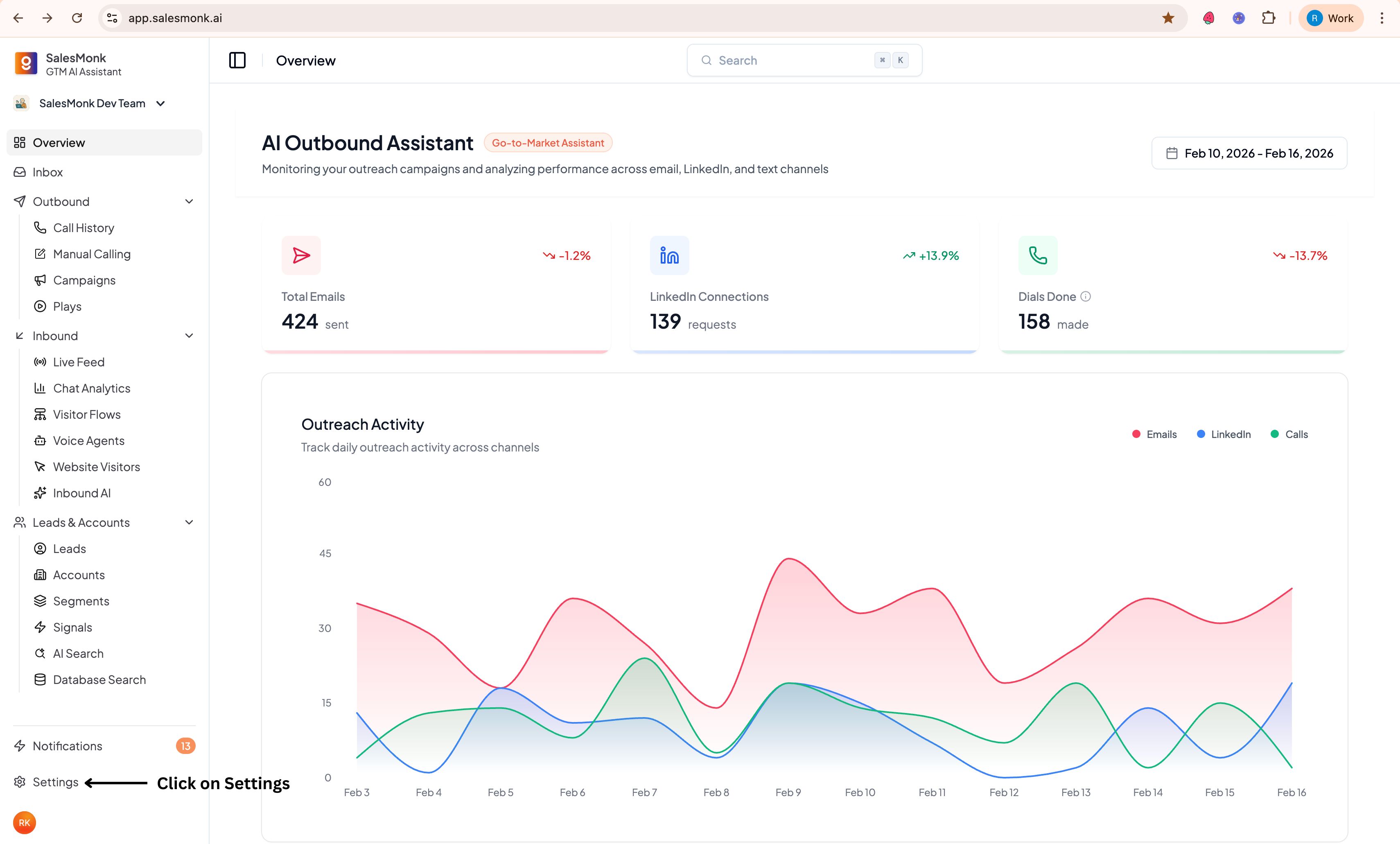
.jpg?alt=media&token=869289d9-98a6-44d9-b608-854e5bd59c1e)
.jpg?alt=media&token=b7f1eda6-bca4-4d2a-bfd7-cfc261519382)
.jpg?alt=media&token=079832c2-2c59-49de-98d9-483a740a6450)
.jpg?alt=media&token=a6a2d797-c7ef-4007-ae17-5fe182067c41)
.jpg?alt=media&token=b52d40d2-47b0-4824-95cc-f80f0323a845)
.jpg?alt=media&token=3479f6d9-3f1b-4f7e-9ac2-d7afab45b839)
.jpg?alt=media&token=4d07ace5-733d-4351-ab3b-551f27f92339)